 CloudPhone
 Blog
CloudPhone Go open beta: a Taiwan-hosted cloud phone under 10 ms
After ten years of cloud phones we built our own. Taiwan servers, under 10 ms, playable from any browser, and in open beta today.
What is CloudPhone Go, and what does the open beta include?
CloudPhone Go is a real Android phone in a Taiwan data centre that you control from any browser, with no app to install, and it keeps running 24/7 after you close the tab. The open beta starts today: every plan is available, monthly and yearly prices get an extra 10% off, and you can ask for a free 12-hour trial card first.
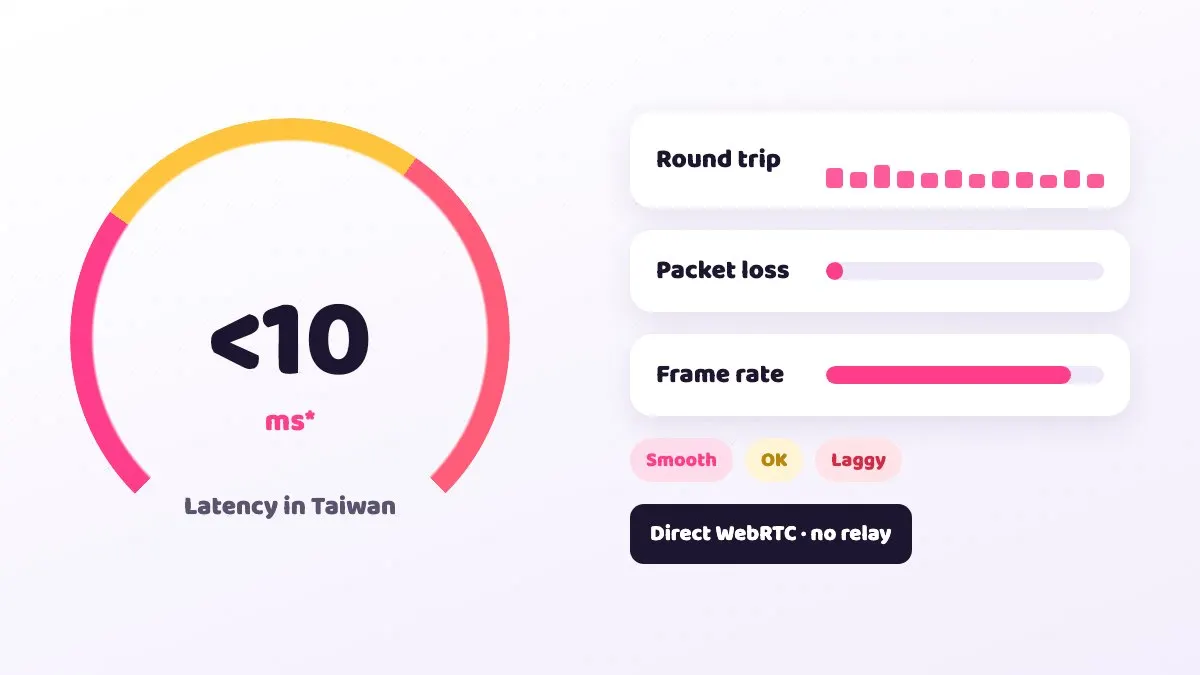
From Taiwan fibre and 5G we measured a median latency under 10 ms to our Taiwan data centre (September 2026; your numbers will vary by network). That makes it more than an idle box. Orb puzzles, MOBAs and other games that need quick fingers can keep up.
This post covers what the beta can do, what it costs, how to start, and the limits we already know about.
Why did we build our own cloud phone?
We are 胖胖 and WinterSleep. 胖胖 has been gaming for 20 years and using cloud phones for more than 10, with Pokémon GO and MapleStory as favourites. The starting point was simple: overseas cloud phones lagged badly from Taiwan, and he could not leave Lineage M idling overnight with any peace of mind.
We were not the only ones. On the Bahamut Ragnarok board in 2021, aalloopp wrote that the Taiwan servers were full, so they had to pick Singapore, and the latency was quite bad. On the Lineage 2M board, 西禾古月 summed up the common view: cloud phones are only good for idling, so do quests and bosses on your own phone.
Those two comments are the problem we set out to solve. Taiwan players need a cloud phone that is actually in Taiwan, fast enough to play rather than just idle, and not stuck behind a full server. We also wanted to get rid of the separate app per platform and the idea that automation means nothing more than the game's own auto-battle.
How does it stay under 10 ms?
Latency mostly comes from two things: how far the server is from you, and how many hops the video takes on the way. Our data centre is in Taiwan, so the physical distance is short to begin with. Streaming uses direct WebRTC with no relay server, and the video is encoded in H.265 for better quality at the same bandwidth.
The under 10 ms figure is the median we measured in September 2026 from Taiwan fibre and 5G to the Taiwan data centre. Your Wi-Fi, router and mobile signal all affect the result, so treat it as a reference point, not a promise.
To show you what is happening right now, the control screen has a connection quality indicator with live RTT (round-trip time), packet loss and FPS. When something feels slow, check those three numbers first. They usually tell you whether the network or the game is the cause.
Which devices work without installing anything?
CloudPhone Go runs entirely in the browser. Play on your phone, check in from a work computer, pick it up on a tablet at home: it is the same cloud phone every time, with the same progress.
| Your device | How to connect | Notes |
|---|---|---|
| iPhone, iPad | Safari | Add to Home Screen, picture-in-picture supported |
| Android phone or tablet | A modern browser with WebCodecs | Very old browsers cannot play the stream |
| Windows, Mac, Linux | Any modern browser | Physical keyboard works, Ctrl/Cmd+V pastes your clipboard |
Controls include single and multi-touch, swipe and scroll, plus back, home, recents, volume, rotate, wake and reboot. Full-screen immersive mode tucks the controls into a floating bar. In portrait the navigation sits at the bottom; in landscape it moves to the side so it stays out of the way of wide games.
To type Chinese or Japanese, write the text on your own device and paste it. The cloud phone receives it through the clipboard, as long as you allow clipboard permission in the browser.
What features are in the beta?
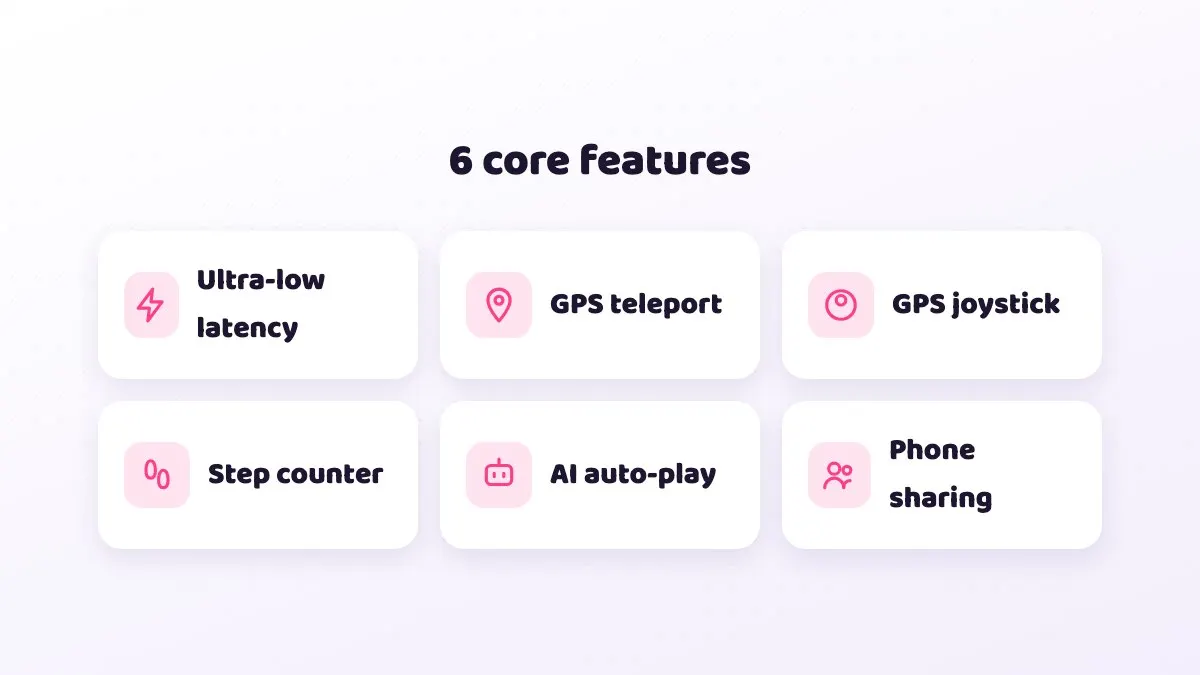
Beyond remote control, the beta already includes:
- Google Play built in: sign in and download games like on any Android phone.
- File upload and APK install: upload any file to /sdcard/Download in chunks with a progress bar. APK, APKS, APKM and XAPK are supported, and re-uploading the same file skips the transfer.
- Virtual GPS: enter coordinates or pick a landmark, then move with a joystick or WASD at walking, cycling, driving or custom speed.
- Step simulation: steps are simulated while GPS moves, up to 3 per second, with the GMS pedometer permission pre-granted, so Pikmin Bloom works.
- Guide marketplace (/guides): search guides by game, see run counts, likes and comments, and run one on your device with set rounds, resume from the last run, a live event log and a stop button.
- AI engines: the built-in CloudPhone Go AI (small, medium and large models, billed in credits at 3,000 credits per US$1) or your own Claude Code, OpenCode, Grok, Cursor Agent and others.
- MCP: create a token from the device menu under AI / MCP and let Claude Code, Claude Desktop, Codex or Cursor control the phone directly.
- Device sharing: share a device with owner, operator or viewer roles.
- Health watchdog: stuck devices are recovered automatically where possible.
A note on GPS and steps: simulating location or steps in Niantic games such as Pokémon GO and Pikmin Bloom is against Niantic's terms of service. Whether you use it is your decision and your risk.
How much does the beta cost, and which plan fits?
Every plan gets dedicated resources on a flagship 8-core ARM processor (4x Cortex-A76 plus 4x Cortex-A55, up to 2.4 GHz, with a 6 TOPS AI NPU), and every plan includes 32 GB of storage. Pricing is based on NT$9 per CPU core per day, dropping to as low as NT$6.20 after discounts.
| Plan | Spec | Beta monthly | Beta yearly (per month) | Regular monthly / yearly |
|---|---|---|---|---|
| Starter | 2 cores, 4 GB | NT$489 | NT$419 (NT$5,028/year) | NT$549 / NT$469 |
| Standard | 4 cores, 8 GB | NT$929 | NT$789 (NT$9,468/year) | NT$999 / NT$879 |
| Performance | 8 cores, 16 GB | NT$1,749 | NT$1,489 (NT$17,868/year) | NT$1,949 / NT$1,659 |
Starter is usually enough for a single buffer alt or a light game. Standard suits a main account in a typical mobile game where you want smooth frames. Performance makes sense for high graphics, heavy 3D games, or running AI guides at the same time.
Checkout goes through Stripe and you can cancel any time. The billing page shows your renewal date, invoices and AI usage. When you cancel renewal you keep using the phone until the end of the paid period; fees already paid are not refunded.
How do I get the 12-hour trial and start?
- Email hello@cloudphonego.com and say you want to try the beta. We will reply with a 12-hour trial card redeem code.
- Open cloudphonego.com in your browser and sign in with Google. We never store a password.
- Enter the code, or choose a plan and pay. Your cloud phone boots in seconds.
- Open Google Play, sign in and install your games, or upload an APK from your computer.
- Play or set up idling, then close the tab. The cloud phone keeps running in the data centre.
- On iPhone, tap Share in Safari and choose Add to Home Screen for one-tap access next time.
Twelve hours is a good window to check three things: what latency your network gets, how smoothly your usual game runs, and whether your idle setup survives a full night.
What are the known beta limitations?
It is a beta, so here is what we already know about, so nothing catches you off guard:
- Corporate VPNs and strict firewalls can block direct WebRTC, so the stream will not connect. Switching to mobile data or your home network usually fixes it.
- Old browsers without WebCodecs cannot play the stream. Update to a current version.
- If pasting does nothing, the browser probably has not been given clipboard permission. Allow it in the site settings.
- The first MCP call can take about 40 seconds. Revoking a token does not cut a connection that is already open.
- A browser tab and MCP can connect at the same time, but they may occasionally contend during the handshake. Waiting a moment and retrying usually works.
- If the device hangs, reboot it from the control bar. The watchdog also tries to recover it automatically.
If you hit something not listed here, email us. A screenshot of the connection quality indicator helps a lot.
What comes next?
We will keep adding idle guides for more games, grow the guide marketplace, and plan to open a LINE official account and a Discord community so players can swap setups directly.
Every piece of beta feedback shapes what we build next. If your favourite game has no guide yet, tell us the game and the problem you want solved, and it may be the next one we write.
FAQ
Q: Do I need to install an app? A: No. Use Safari on iPhone and iPad, or any modern browser on Android, Windows, Mac and Linux.
Q: Does the game stop when I close the browser? A: No. Only the video to your screen stops. The cloud phone keeps running 24/7.
Q: Is latency really under 10 ms? A: That is the median we measured in September 2026 from Taiwan fibre and 5G to our Taiwan data centre. Your result depends on your network, and the RTT indicator shows your live number.
Q: How big is the beta discount? A: An extra 10% off monthly and yearly. For example, Standard is NT$929 monthly or NT$789 per month billed yearly.
Q: How do I get a free trial? A: Email hello@cloudphonego.com and we will send a 12-hour trial card code.
Q: Can I cancel any time? A: Yes. Stop renewal on the billing page and you can use the service until the end of the current period; fees already paid are not refunded.