 CloudPhone
Blog
hololive Dreams first pull: how the Redraw works, who to pick, what to know before you start over
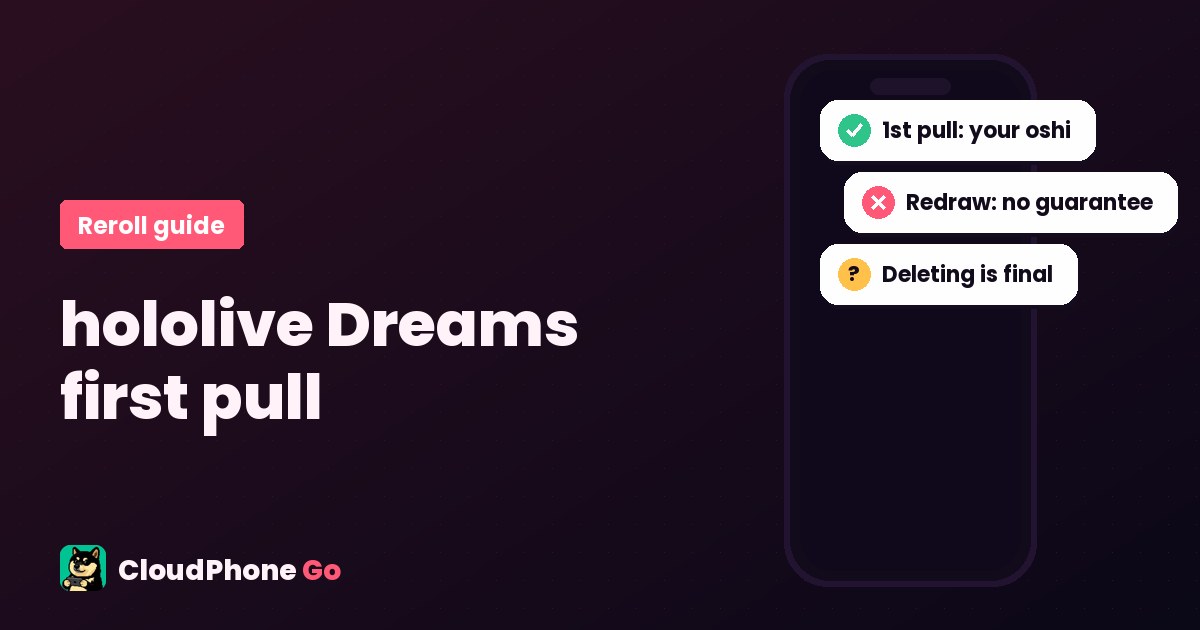
The hololive Dreams opening Redraw has a rule many players miss: the first result is always your oshi, and one redraw removes the guarantee. Here is how to choose between the global and Japanese versions, the reroll and restart steps, how to pick for score, and what Bahamut and PTT players say.
What is hololive Dreams? Release date, platforms and languages
hololive Dreams (holodori, or ホロドリ, for short) is a rhythm RPG developed and run by COVER Corporation and QualiArts. It launched on July 23, 2026 (Japan time) on iOS, Android (Google Play) and Steam, with in-app purchases and 54 hololive talents at launch (official press release). The global Google Play listing has an official Traditional Chinese title and description: over 150 songs at launch, an auto mode for players who are not good at rhythm games, theme park building, minigames and multiplayer. The Steam language list ticks English and Traditional Chinese for the interface and subtitles, with no full audio in either; Japanese is the only language with full audio. How much of the game is translated is best checked after you install.
One thing people mix up: the game is called hololive Dreams. Redraw is the name of its opening gacha (Redraw Gacha in English, 引き直しガチャ in the Japanese version), not a separate game. Players in Taiwan just call it the reroll or the first pull.
The 30-second answer: the first result of the opening redraw always gives you the 5-star of the talent you picked at the start. Press redraw even once and that guarantee is gone: other talents' 5-stars join the pool, so your oshi may not come up again. If your oshi is all you want, keep the first result. Below: which version to pick, the redraw rules, the steps for starting over, how to choose if you want score, what to do with your resources after, and finally where CloudPhone Go, our Taiwan cloud phone, helps with a rhythm game and where it does not.
Global or Japanese version? Pick the right app before you reroll
Google Play has two separate apps. There is no official word on sharing data between them, and one Bahamut player thinks it does not carry over, so decide which one you will play before you start. This is what the store pages showed on November 16, 2026.
| Global | Japan | |
|---|---|---|
| Google Play title | hololive Dreams | ホロライブドリームス |
| Package name | game.qualiarts.hololive.dreams.com | game.qualiarts.hololive.dreams.jp |
| Downloads (store page) | 1,000,000+ | 500,000+ |
| Traditional Chinese | Official title and description | Store page in Japanese |
| Shared with the other version | No official word; one Bahamut player thinks not (Japan should be the only separate server; mobile and Steam share data only on the same server) | No official word; one Bahamut player thinks not |
One player in the Bahamut first-pull thread wrote that mobile and Steam fully share data, but only on the same server, and that the Japanese server should be the only separate one, with every other region counted as international. That is one player's guess, not an official statement, but it matches the two separate Google Play apps. Pick the Japanese version if you read Japanese and want to follow Japanese events; pick the global one if you want Traditional Chinese or English text (both are ticked for interface and subtitles on the Steam language list).
How does the hololive Dreams first pull work? The Redraw rules
The official press release says one thing: players can get the talent of their choice at the highest rarity through Redraw Gacha. The details come from Japanese guide sites such as Game8 and Dengeki Online and from Bahamut and PTT players, and they agree:
- You pick a talent at the start, then get a 5-pull redraw gacha with exactly one 5-star.
- On the first result, the 5-star is always the talent you picked (Game8 says the first 5-star is fixed to the member you chose).
- You can redraw as often as you like, but after one redraw the guarantee is gone: other talents' 5-stars join the pool, so your oshi may not come up again (Dengeki says other talents' 5-stars become eligible after a redraw; Game8 says your first pick is not guaranteed to appear again).
- So if you only want one oshi, do not press redraw. Redraw or a fresh start only makes sense if you want a different 5-star, or a set from the same generation.
A PTT first-pull guide put it bluntly: the first pull guarantees your oshi, so do not redraw or you lose it. The second reply in the Bahamut thread said the same: single-oshi players should not reroll, the first one is guaranteed.
Steps for rerolling and starting over (in-game menus only)
- Choose the global or Japanese version, install it, start the game and pick your oshi. Watch the story once, then skip it: the Bahamut guide says tap the center and then the top right, and PTT replies say you can drag the progress bar.
- You can fail the opening live and still clear it (two Bahamut beginner threads say so), so no need to restart for that.
- Do the opening 5-pull: the first result is your chosen talent's 5-star. If that is all you want, confirm it.
- Back on the home screen, claim your gift box, then pull on the beginner banner and the regular banner, and use a 4-star-or-higher ticket if you have one (Bahamut guide; the launch rewards have ended, so check your own gift box for what you get now).
- If you want to start over completely, delete the account from the menu on the title screen (アカウント削除 in the Japanese version; the exact label in your language is in the game), then start again.
- Set up data link (ID link) once you have decided. If you want to keep a decent result while hunting for a better one, Bahamut players ID-link that account first, then clear the app data and reroll (clear data, do not delete the account). Note: deleting the account in the game removes it even if it was linked.
How long a round takes: Dengeki says the tutorial takes about 5 minutes if you skip everything; Game8 says about 20 minutes from install to the first pull, then about 10 minutes per round. Account deletion cannot be undone: a Bahamut player who deleted by mistake was told it could not be recovered, so be sure before you press it. All of this uses the game's own menus, one account at a time on one phone.
Who to pick first: oshi first, then look at skills if you want score
This is a rhythm game, so card strength means score support and skill activation, not RPG damage. Guide rankings change often, and the Japanese and global banners do not always line up, so this is a way to choose rather than a fixed tier list. The examples below come from the Game8 Japanese-version ranking as checked on November 16, 2026 and from Dengeki's launch-day advice. Check the latest ranking and Bahamut threads when you read this.
| Your situation | Advice | Based on |
|---|---|---|
| You only want your oshi | Keep the first result and do not press redraw | Bahamut, PTT and Game8 all agree |
| You want a strong start for score | Look for a 5-star whose costume skill is score support for all members with no team-building restriction. Among Game8's SS cards, the ones it says have no team-building restriction are swimsuit Subaru, swimsuit Koyori, swimsuit Lamy and autumn IRyS. Its other SS picks are Reine (strong in Happy-type teams), Noel (wide connect effect) and Ayame (conditional active skill with a high score multiplier) | Game8 Japanese ranking (changes with banners) |
| You want a team | Look for a 5-star from the same generation or type as your oshi, so the skills support each other | Game8; Bahamut thread (tap the skills to see if they boost each other) |
| You are new to rhythm games | Game8's compromise line: for beginners not used to rhythm games, getting several members with a healing SP skill (such as Watame, Mio and Pekora) is enough to start. Game8 also notes that healing SP skills currently top out at 4-star | Game8 Japanese ranking |
| Launch-day view | Members whose costume skill does not depend on type or generation, such as Miko and Polka, or a 5-star that boosts your first pick's type | Dengeki Online (July 23, 2026) |
Game8's stop line: any 5-star from the beginner banner, or a 5-star of the same generation or type as your oshi, is enough to start playing. On launch day a PTT thread added that every event will bring its own event cards anyway, so first-pull strength matters little; card gaps are small next to basic full-combo skill, so pick who you like.
After the first pull: the beginner banner, 5-star ticket and saving diamonds
- Beginner banner: Dengeki describes 「選べる!初心者応援ガチャ」, where you pick up to three members for a higher rate, running for 7 days after you clear Chapter 1 EP1. Game8 also points beginners to this banner. Check the name and period in the game.
- How many pulls a new account gets: sources vary widely. Bahamut players reported 16 tickets plus about 5,000 diamonds, another reported 27 tickets plus 5,400 Red Diamonds, and allthings.how says about 24 pulls. The launch rewards have ended, so check your own gift box for today's number.
- Guaranteed 5-star ticket: one Bahamut newcomer wrote that clearing Chapter 1 EP24 gives a guaranteed 5-star ticket. That is a single player's report.
- Rates and pity: guide sites and players put the regular banner 5-star rate at about 5%, and Bahamut players say 200 pulls lets you pick the featured card, with no carry-over to the next banner. We have not checked this in the game; the in-game rate details are what count.
Should you save diamonds? In a Bahamut thread titled roughly "pulls are hard to save up in this game", many players said diamonds get scarce once the one-time launch rewards are gone, and one estimated about 13 pulls a month without spending. Whatever the exact number, the direction is clear: after the first pull, save for the banners you really want.
What players say: first-pull threads on Bahamut and PTT
These are real threads from the Bahamut hololive Dreams board and PTT C_Chat, summarized (read on November 16, 2026). For some Bahamut threads we could only read search snippets; we found no related Dcard threads and read no specific Reddit or X posts.
- Bahamut, simple first-pull guide (July 23, 2026): the first pull always gives a 5-star, so pressing redraw is pointless for single-oshi players: you will not get two 5-stars and the next one is not guaranteed to be your pick. The author added on July 27 that he came back to reroll for the swimsuit banner. One reply tried to get AZKi, Fubuki and Koyori together and said all three is hard.
- Bahamut, a rhythm-game newcomer's notes (July 28, 2026): you clear the first live win or lose; the members you can meet each day refresh at 4 am Taiwan time; green chests on the map sometimes hold invitations to meet more members, and finishing a member's meeting task gives 10 to 30 Red Diamonds; the indoor camera can cause 3D motion sickness, so teleport.
- Bahamut, pulls are hard to save up (August 1, 2026): diamonds drop off after launch rewards, and the 200-pull pity does not carry over; others said rhythm games usually pay diamonds through song scores.
- Bahamut, keeping an account (July 24, 2026): to keep a candidate account, save it with the official ID link before clearing data; a fresh download is about 4GB or more.
- PTT, a first-pull mini guide (July 23, 2026): watch the story once and skip after, keep the guaranteed first pull; to delete the account, tap Other at the top right, go back to the title screen, then scroll to the bottom; replies said playing on to Chapter 2 gives more tickets, and another said the event area gives one more, for 17 pulls in total.
- PTT (August 2, 2026): stamina recovers about 32 a day, a run takes about 3 minutes, auto tickets are plentiful; players see it as fan-focused and debate the diamond income.
Daily routine: auto mode, stamina and the 4 am refresh
The official Google Play description mentions auto mode, so you can progress even if rhythm games are not your thing. From PTT and Bahamut players, a typical day is: spend stamina on songs (auto tickets are plentiful), meet the day's members after 4 am Taiwan time, pick up green chests in the park, play minigames, and play event songs when an event is on. One Bahamut player also found that a stuck gacha machine bug cleared after playing the jump rope minigame. These are player experiences, and events change.
Where a cloud phone helps, and where it does not
To be honest: you do not need a cloud phone to reroll. The redraw and account deletion are in the game, and one phone is enough. You do not need many devices either; reroll one account at a time. A cloud phone (a real Android phone in a data center; see what is a cloud phone) may help after you pick, when you come back every day.
| What you want to do | On your own phone | On a cloud phone |
|---|---|---|
| Reroll | Built into the game, one phone is enough | Expected to work the same, no faster (not yet tested) |
| Hard charts and full combos | Best on your own device, the timing is direct | The screen is streamed, which adds some delay; not recommended for hard charts |
| Daily runs on auto mode, the park, minigames | Play on your own phone, with the game installed | The game should stay open on the cloud phone like other games do, so a browser on iPhone or PC should take you back to the same phone screen (not yet tested with this game on CloudPhone Go at the time of writing; the game may ask you to log in again after a long idle) |
| Play the global Android version on iPhone or a computer | Install the iOS version on iPhone, or the Steam version on a computer | Expected to open in Safari or a computer browser, with nothing installed on your device (not yet tested) |
| Not enough storage on your phone | Players say a fresh download is 4GB or more | The game is installed on the cloud phone, not your phone |
Where it does not help: rhythm games are sensitive to delay, and a cloud phone streams the screen from the data center to your device, so hard charts are more accurate on your own phone. A cloud phone does not refill stamina faster or improve gacha rates, and if you leave it untouched for a long time the game itself may sit on an idle screen or ask you to log in again. At the time of writing we have not tested this game on CloudPhone Go (install, timing delay and auto mode), so the points above describe how a cloud phone works in general; check for yourself how it runs. To compare options first, see the cloud phone comparison.
How: each CloudPhone Go cloud phone is a dedicated real Android phone in a Taiwan data center, used from a computer or phone browser, or from the CloudPhone Go app on Google Play for Android phones. Install the global version from Google Play on the cloud phone (check first that the store page lets you download it there), sign in to your chosen account with the ID link and check your data; do not keep the same account open on two devices at once. The official announcement also says availability may vary by device, so check that the game starts normally after installing.

More first-pull guides: Brown Dust 2 reroll guide and Stella Sora reroll guide. For iPhone, see play Android games on iPhone.
FAQ
How many times can I redraw in hololive Dreams?
You can redraw the opening 5-pull as often as you like, but only the first result guarantees the 5-star of the talent you picked at the start. After one redraw the guarantee is gone: other talents' 5-stars join the pool, so your oshi may not come up again (Game8, Dengeki Online, Bahamut and PTT players). If you only want your oshi, keep the first result.
Is hololive Dreams available in Chinese?
Partly, in the global version. Its Google Play listing has an official Traditional Chinese title and description, and the Steam language list ticks Traditional Chinese for the interface and subtitles (no Chinese audio). How much of the game itself is translated is best checked after you install. The Japanese version (ホロライブドリームス) is a separate app with a Japanese store page.
Do the Japanese and global versions share data?
They are two different apps on Google Play. There is no official word on sharing data, and one Bahamut player thinks it does not carry over: he says the Japanese server should be the only separate one, with other regions counted as international, and mobile and Steam share data only on the same server. That is one player's guess. Decide which version to play before you reroll.
Can a deleted hololive Dreams account be recovered?
No. You delete the account from the menu on the title screen, and a Bahamut player who deleted by mistake was told it could not be recovered. Linking does not save a deleted account. To keep a candidate while rerolling, Bahamut players ID-link it first and then clear the app data instead of deleting the account.
Who should I pick first in hololive Dreams?
Oshi first: if that is all you want, keep the first result. For score, look for a 5-star whose costume skill gives score support to all members with no team-building restriction (among the Game8 Japanese ranking's SS cards, the ones it says have no restriction are swimsuit Subaru, swimsuit Koyori, swimsuit Lamy and autumn IRyS), or a 5-star from the same generation or type as your oshi; for players new to rhythm games, Game8's compromise line is several members with a healing SP skill, such as Watame, Mio and Pekora. Rankings change with banners.
Do I need a cloud phone to reroll hololive Dreams?
No. The redraw and account deletion are in the game, and one phone is enough. A cloud phone may help after you pick: the game runs on a dedicated real Android phone in a Taiwan data center and should keep running after you close the browser like other games do, so you can open it from an iPhone or computer browser to get back to the same phone screen. At the time of writing we have not tested this game on CloudPhone Go (install, timing delay, auto mode), and the game may ask you to log in again after a long idle. Hard charts are still more accurate on your own device, since the screen is streamed.
Sources
- hololive production news: hololive Dreams is now available, July 23, 2026
- hololive Dreams official site
- Google Play: hololive Dreams, global version (checked November 16, 2026)
- Google Play: ホロライブドリームス, Japanese version (checked November 16, 2026)
- Steam: hololive Dreams store page (checked November 16, 2026)
- Mogura VR: official service start of ホロライブドリームス (Japanese)
- Game8: where to stop the Redraw Gacha, updated November 16, 2026 (Japanese)
- Game8: reroll ranking and when to stop, updated November 16, 2026 (Japanese)
- Dengeki Online: holodori reroll guide, July 23, 2026 (Japanese)
- allthings.how: hololive Dreams reroll guide and best 5-star picks
- Bahamut hololive Dreams board: simple first-pull guide, July 23, 2026 (Chinese)
- Bahamut hololive Dreams board: a rhythm-game newcomer's notes, July 28, 2026 (Chinese)
- Bahamut hololive Dreams board: pulls are hard to save up, August 1, 2026 (Chinese)
- Bahamut hololive Dreams board: keeping an account and re-downloading, July 24, 2026 (Chinese)
- Bahamut hololive Dreams board: question about a deleted account (search snippet only, Chinese)
- PTT C_Chat: any first-pull recommendations?, July 23, 2026 (Chinese)
- PTT C_Chat: first-pull mini guide, July 23, 2026 (Chinese)
- PTT C_Chat: stamina, auto tickets and diamond income, August 2, 2026 (Chinese)