 CloudPhone
Blog
What is a cloud phone?
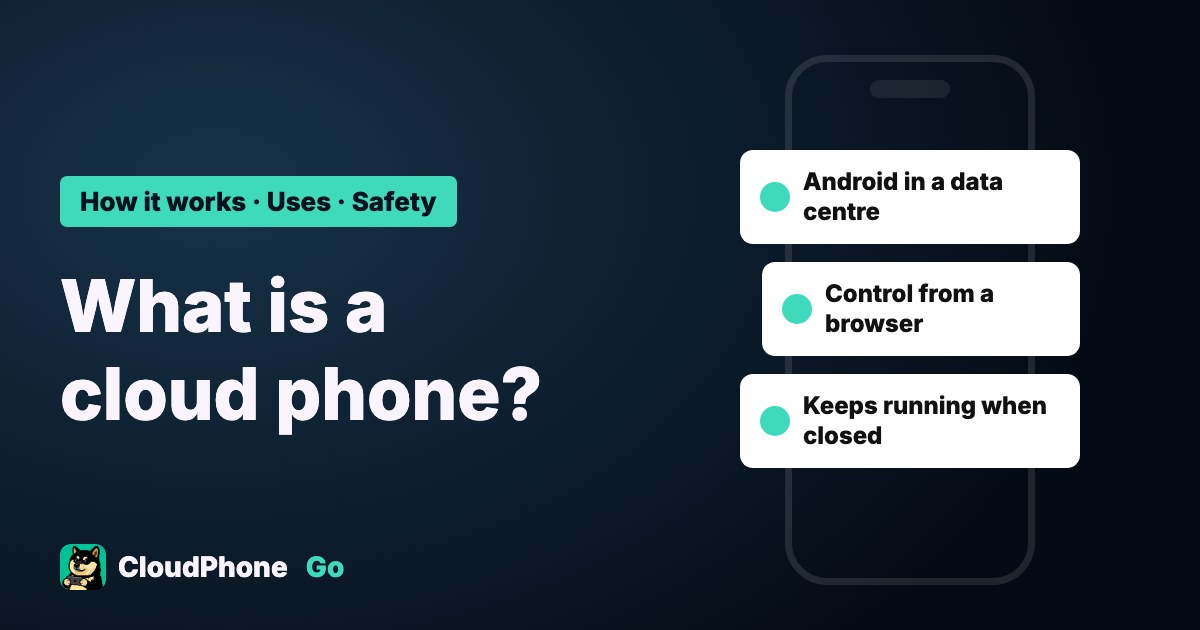
A cloud phone is an Android phone in a data centre. You control it from your own device, and it keeps running after you close the screen.
What is a cloud phone?
A cloud phone is an Android phone running in a provider's data centre. Its screen is sent to your phone or computer, and your taps are sent back. Because the game runs in the data centre, it keeps going after you close the screen or switch off your device, and it uses none of your phone's battery or storage.
The most common uses are idling mobile games, running alt accounts and playing Android games on an iPhone.
It sounds like these things, but it is different:
- Cloud storage and iCloud: space for files. They cannot run games.
- A phone number or mobile plan: you buy calls and data, not a remote phone.
- A PC emulator: Android runs on your own computer and stops when the computer is off.
How does a cloud phone work?
- The provider prepares an Android phone environment in its data centre.
- You connect from a browser or app and see its screen.
- You tap the screen, the input travels over the network to the data centre, and the picture comes back.
- Closing the screen only stops the video. The phone and the game keep running in the data centre.
So two things shape the experience directly: how far away the data centre is, and how much computing power the phone gets. A more distant data centre usually means more input delay, and too few resources make games stutter. To learn how to read latency, see cloud phone latency explained.
What can a cloud phone do, and when is it a poor fit?
| Situation | Fit | Why |
|---|---|---|
| Idling a mobile game 24/7 | Good | No PC left on all night and no phone left charging |
| Running alt accounts | Good | One account per device, with no constant signing in and out. Rules differ by game, so read the terms first |
| Playing Android games on an iPhone | Good | The game runs on remote Android, and the iPhone only shows it and takes input |
| A work or school computer that cannot install software | Good | Services with a web version open in a browser, though a company network may block the connection, so test before paying |
| Top-level ranked play where milliseconds matter | It depends | Even low latency adds a network hop, so top players may still prefer local play |
| You are far from the data centre | It depends | More distance usually means more delay, so choose a nearby data centre |
| One game that already runs well on your phone | Maybe not needed | If you do not idle or run alts, your own phone is enough |
Cloud phone, emulator or spare phone: what is the difference?
| Cloud phone | PC emulator | Spare phone | |
|---|---|---|---|
| When your device is off | Keeps running | Stops | Must stay on and charging |
| Who pays for power | The provider | You | You |
| Main cost | Monthly fee | Electricity and PC wear | Only power if you own one; add the phone cost if you buy one |
| Check from another device | Yes | No | No |
If your computer is on all day anyway, an emulator adds the least cost. The full maths is in cloud phone vs emulator vs old phone.
How much does a cloud phone cost?
CloudPhone Go starts at NT$489 a month, or an average of NT$419 a month on the yearly plan. Some others show prices only after login, and some have only reseller or in-app prices we could find, while VMOS Cloud lists from US$4.99 for 30 days on its site. Prices, check dates and sources are in the cloud phone comparison.
Look at data centre location and plan specs along with price, because two plans both called entry level can have very different cores and memory.
Is a cloud phone safe?
You sign in to your game accounts on it, and the data sits on the provider's machines, so safety depends mostly on the provider and how you use it. Check these first:
- Who runs it: whether the site or privacy policy clearly names the company and its location.
- Sign-in: how you sign in, and whether you must set a separate password.
- Data isolation: whether your phone environment is separate from other users.
- Clearing data: whether you can clear the device and its data when you are done.
You can also do this yourself:
- Turn on two-step verification for game accounts.
- Sign in only to the game accounts you need, not online banking or your main email.
- When you stop using a service, sign out first, then clear or delete the device.
At CloudPhone Go, each cloud phone is its own Android system, data is isolated per user, and video and input travel over DTLS-SRTP encryption. If you sign in with Google we do not store your password. When you are done you can reset the device yourself, which clears its apps and game data. After you cancel and the paid period ends, the system reclaims the device.
Can using a cloud phone get you banned?
The cloud phone itself is usually not the issue. What you do on it is. Games mostly punish cheats and scripts, location spoofing, multi-accounting for profit and account sharing. A game's built-in auto features work the same as on your own phone. We cannot guarantee how any account is treated. The rules for each game are in can a cloud phone get you banned?
How do you choose a cloud phone?
- Where the data centre is: this sets latency.
- Whether resources are dedicated: this decides stutter at peak times.
- Whether an app is required: this decides whether an iPhone or work computer can use it directly.
For specs see the cloud phone comparison, and for player opinions see player reviews.
CloudPhone Go runs in a Taiwan data centre, with 2, 4 or 8 dedicated cores and no install on any platform. In a computer browser you can also connect a game controller, keyboard and mouse, though whether a controller works depends on the game. The downsides: its starting price is higher than some others, and because the servers are only in Taiwan, latency is higher outside Taiwan.
FAQ
Does my device need to stay on?
No. The game runs in the data centre, so closing the screen or switching off your device does not affect it.
Can a cloud phone make calls?
A cloud phone is not a phone plan. It is mainly for running Android apps. For calls, use a mobile plan.
Can I use one on an iPhone?
Yes. Some services open in Safari, while others need an app or profile. The differences are in the comparison.
Is it a real phone?
It is not a phone with a screen and battery like the one in your hand, and providers differ. CloudPhone Go is an independent Android system on physical boards in a Taiwan data centre, with the same ARM architecture as a phone and dedicated CPU cores, not Android emulated on a PC.