 CloudPhone
 Blog
Whiteout Survival farm accounts on cloud phones
One farm per cloud phone, app open 24/7. Send marches, tap alliance help and renew shields from any browser, with no account switching.
What is a Whiteout Survival farm account, and why put it on a cloud phone?
A farm account is an alt that gathers and stores resources and then sends them back to your main city. Put each farm on its own CloudPhone Go cloud phone and the game stays open 24/7, so you can switch to it from any browser to send marches, tap alliance help or renew a shield, without ever logging out of your main on your own phone.
Whiteout Survival runs construction, research and training on queues, and alliance events often land while you are at work or asleep. Many committed players keep farms to speed up their main city.
The problem is that one phone runs one account at a time. Logging in and out several times a day is a grind, and your phone runs hot all day. A cloud phone is a real Android phone in a Taiwan data centre that stays online after you close the browser, so the account switching simply goes away.
What runs on the server, and what needs the app open?
Marches, building queues, research and training timers usually run on the game server, so they keep counting down when the app is closed. Idling here means something different from auto-hunt games.
What really needs a device online with the app open is anything that needs someone to tap at the right time:
| Task | Where it runs | App open needed? |
|---|---|---|
| Gathering marches out and back | Server | No, but someone has to send the next one |
| Construction, research and training | Server | No, but someone has to queue the next one |
| Alliance help | Needs a tap | Yes, it only counts when tapped |
| Joining alliance rallies | Time window | Yes, miss it and it is gone |
| Shield renewal | Before it expires | Yes, timing matters |
| Alliance chat and event windows | Live | Yes, to see notices and calls |
What the cloud phone does is keep the app in the foreground, ready to tap. Open a browser on your phone, office PC or tablet and you see the same screen, with no new login and no loading wait.
What should a farm do every day?
A farm is about steady output, not power. Here is a loop many players use:
- Fill every gathering march: send each squad to a resource tile at a suitable level, preferring tiles that take longer to gather, so you need to check in less often.
- Collect city output and exploration rewards: idle rewards usually have a storage cap, so collecting at fixed times wastes less.
- Tap alliance help and request help: helping others and getting help shortens queues, and a farm is still part of the alliance.
- Clear daily missions: they usually give speedups, resources or other items, so they are worth doing on farms too.
- Queue construction and research: farms usually only upgrade gathering, storage and defence, not combat power.
- Send resources to your main: use whatever normal in-game route the game currently offers, such as alliance resource assistance features. Whether there is a daily cap, or whether both accounts must be in the same state or alliance, check the in-game description.
- Check the shield: before you leave or go to bed, look at the time left and renew if needed.
The full loop usually takes a few minutes per account. The key is fixed times, for example once at lunch and once before bed, cycling through every farm from your browser.
One phone switching accounts vs cloud phones
Switching accounts on your own phone works, but the costs add up:
| One phone, switching accounts | One cloud phone per farm | |
|---|---|---|
| Cost | Nothing extra | From NT$489 per month per Starter device (Beta) |
| Battery and heat | Long sessions heat the phone and age the battery | Runs in the data centre, your phone stays cool |
| Staying online | Only one account online, the rest offline | Every account online, alliance notices visible |
| Switching accounts | Log out, log in, reload every time | Switch tabs or devices, no new login |
| Surprises | You may find out about an attack hours later | Open any browser and check right away |
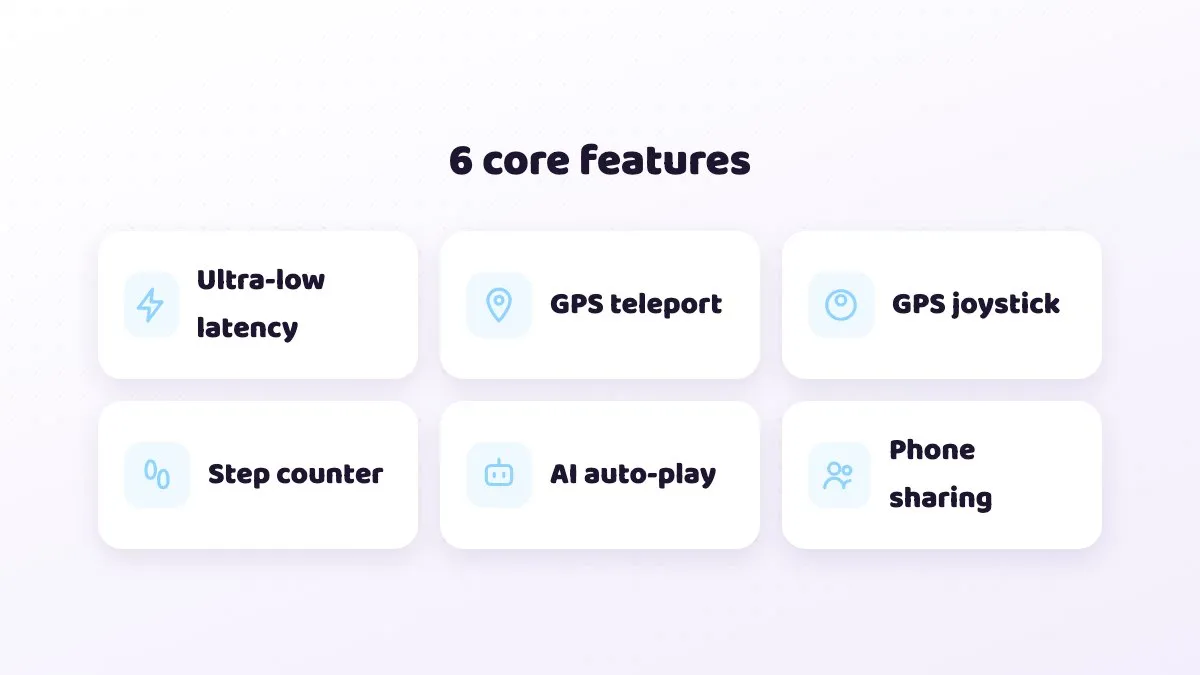
If you have one farm and time to switch every day, your own phone is honestly enough. Once you run more than two or three farms, or keep missing rallies, cloud phones start to pay off.
What does 1 main plus 1, 3 or 5 farms cost?
Our suggestion: put the main city on Standard (4 cores, 8 GB) for smoother graphics and city management, and put farms on Starter (2 cores, 4 GB), since they only gather and collect. Lower graphics make Starter even steadier. All prices are Beta prices, and every plan can be cancelled any time.
| Setup | Plans | Beta monthly total | Beta yearly (per month) | Yearly total |
|---|---|---|---|---|
| Main + 1 farm | 1 x Standard + 1 x Starter | NT$1,418 | NT$1,208 | NT$14,496 |
| Main + 3 farms | 1 x Standard + 3 x Starter | NT$2,396 | NT$2,046 | NT$24,552 |
| Main + 5 farms | 1 x Standard + 5 x Starter | NT$3,374 | NT$2,884 | NT$34,608 |
| Main on your phone, 3 farms | 3 x Starter | NT$1,467 | NT$1,257 | NT$15,084 |
The pricing basis is NT$9 per CPU core per day, falling to about NT$6.20 per core per day after discounts. Start with one farm, make sure the routine suits you, then add devices one at a time. To try first, email hello@cloudphonego.com for a free 12-hour trial redeem code.
How do you set up a farm on a cloud phone?
- Open CloudPhone Go in your browser, sign in with Google and pick a plan. Sign-in is Google only, and no passwords are stored.
- Enter the cloud phone, open the built-in Google Play, search for Whiteout Survival and install it. Every plan has 32 GB of storage.
- The first launch downloads game resources. Let it run and do something else.
- Before you sign in to the farm, make sure it is bound to its own separate Google or Facebook login, not the same one as your main, so switching devices or recovering accounts later stays clean.
- Pick the farm's state, send gathering marches, queue upgrades and check the shield.
- Close the browser tab. The cloud phone keeps running in the Taiwan data centre, and next time you open it you see the same screen.
To type in alliance chat in Chinese or Japanese, write it on your computer and paste it in with Ctrl+V or Cmd+V.
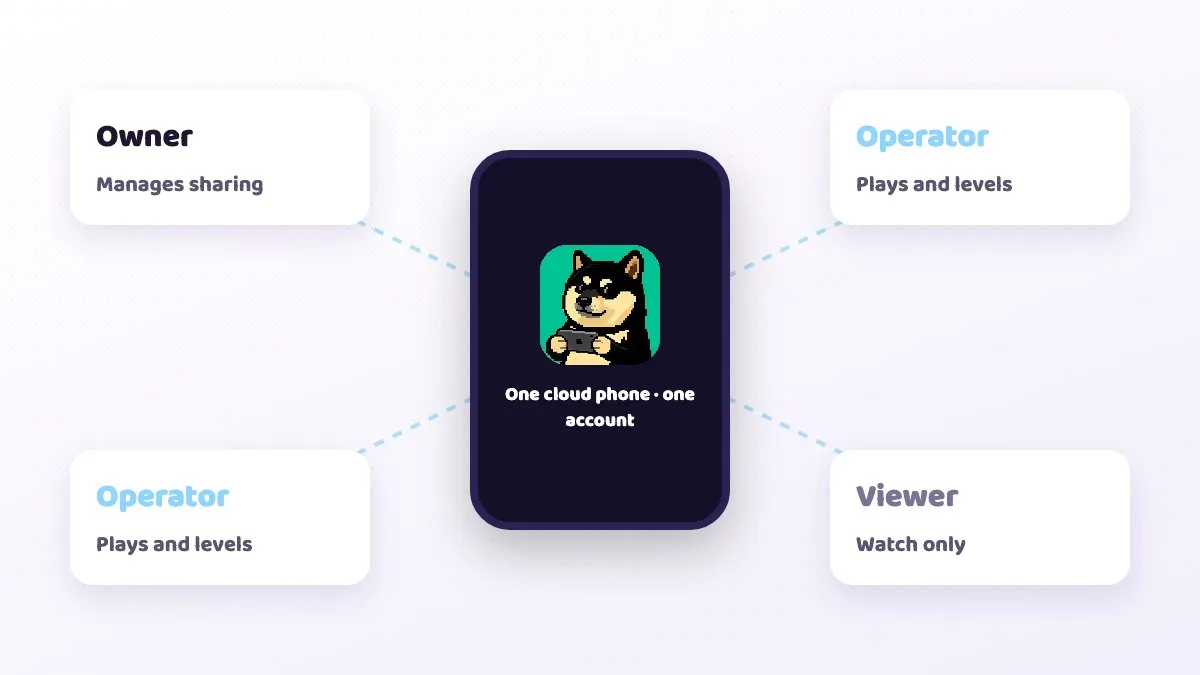
If an alliance mate is happy to help look after a farm, use device sharing. The owner manages settings, an operator can actually tap alliance help or renew a shield for you, and a viewer can only watch. The account stays signed in on the same cloud phone, so you never hand over your game login.
Farms are targets: how do you build a shield habit?
Farms tend to sit on full storage with low power, which makes them easy targets in a state. One hit can wipe out days of gathering, so for a farm the shield matters more than anything else.
- Check before bed and before you leave: make shield time left part of the daily loop, and renew if it will not last until your next check.
- Know what breaks a shield: in many games of this type, attacking or scouting another player removes your protection. Check the in-game rules for specifics.
- Watch state war and special events: in some windows shields may not be usable, or attacks spike. Read event notices.
- Do not skip storage upgrades: protected storage usually has a cap, so if a shield lapses at least part of your stock is safe.
With a cloud phone you do not need your own phone to act. Open it on your office PC or in Safari on iPhone during your commute and renew a farm's shield on the spot. On iPhone you can also add it to your Home Screen.
What about the game's rules and the risks?
Read the Whiteout Survival terms of service first. Holding multiple accounts, or using automation scripts or bots, may violate Century Games' rules, and any action taken is up to them.
Everything in this guide uses features the game already has, operated by you: sending marches, tapping help, renewing shields. The cloud phone simply keeps the app open so you can do that from any browser.
CloudPhone Go also has a guide marketplace and AI automation that can run automated flows on your device. To be clear: using automation to play the game for you may well break the game's terms. Whether and how you use it is your decision and your risk, and we cannot promise any account will be safe from action.
Common mistakes and troubleshooting
- One account on two devices: the second login usually kicks the first off. Keep each account on one device.
- Farm and main bound to the same Google account: switching and recovery get messy. Give every farm its own binding.
- Tiles too far away or the wrong level: long march times cut real output.
- Forgetting to renew the shield: the most common and most painful mistake. Make it a habit, not a memory test.
- High graphics on a farm: Starter will stutter. Turn graphics and effects down.
- No connection: strict corporate VPNs or firewalls can block direct WebRTC, and old browsers without WebCodecs cannot play the stream. Try another network or update the browser.
- Laggy input: check RTT, packet loss and FPS on the quality indicator. From Taiwan fibre and 5G to our Taiwan data centre, median latency measured in September 2026 was under 10 ms, but it varies by network.
- Paste not working: the browser needs clipboard permission for Ctrl+V or Cmd+V to work.
FAQ
Q: Do gathering marches continue after I close the browser? A: Yes. Marches and queues usually run on the server, and the cloud phone keeps the app open, so you come back to the same screen.
Q: Is Starter enough for a farm? A: In most cases, yes. Farms mainly gather and collect, and lower graphics make it steadier. Choose Standard for a main city on high graphics.
Q: Can one cloud phone run two farms at once? A: We do not recommend it. One account per cloud phone is the most stable setup, each online on its own.
Q: Can I send resources straight to my main? A: It depends on what the game offers at the time. Common limits include daily caps and needing the same state or alliance, so check the in-game description.
Q: Can an alliance mate look after my farm? A: Yes. Share the device with operator access and you never hand over a password. Account security is still your responsibility, and check the game's rules on account sharing.
Q: Will running farms get me banned? A: We cannot promise any outcome. Rules on multiple accounts and automation are set by Century Games' official terms, so check them yourself.